



In 2026, Walmart Marketplace is no longer a “secondary” channel. It is a high-speed ecosystem where Customer Experience (CX) directly dictates your organic search ranking. If your support team is drowning in unorganized emails and manual order lookups, you aren’t just losing time—you are losing visibility.
This guide is the definitive resource for understanding, implementing, and scaling a Walmart CRM strategy. Whether you are a brand doing $10k or $10M a month, these systems are what separate the “Pro Sellers” from those who get suspended.
1. What Exactly is a Walmart CRM? (And Why You Need One)
A standard CRM (like Salesforce or HubSpot) is built for sales leads. An Ecommerce CRM for Walmart is built for transactional accountability.
It is a specialized software that pulls in your Walmart API data to connect every customer message to a real-time order record.
Why the “Standard Inbox” is a Death Trap
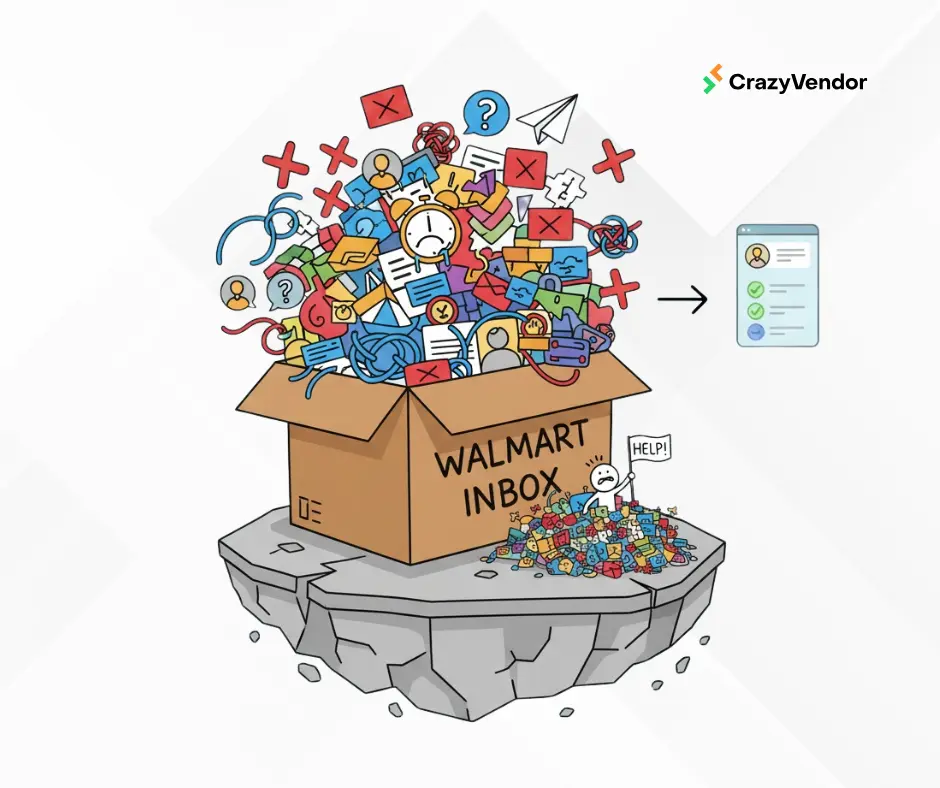
Most sellers start by using the Walmart Seller Center inbox. This works for 5 orders a day. At 50 orders a day, it breaks because:
- No Internal Notes: You can’t leave a note for your warehouse manager inside the ticket.
- No Collaboration: You can’t see if another agent is already typing a reply.
- No Performance Data: You don’t know your “Average Resolution Time” until Walmart penalizes you for it.
The 2026 “Single Source of Truth”
A Walmart CRM acts as the hub. It doesn’t just show the message; it shows the Buyer Journey:
- Did they return an item last month?
- Is their current package delayed at a FedEx hub?
- Are they a “repeat buyer” who deserves a higher tier of service?
2. Walmart’s 2026 Compliance Rules: The “Hidden” CRM Metrics
Walmart is stricter than ever regarding how you talk to their customers. A CRM isn’t just a tool for convenience; it is a compliance shield.
The 48-Hour Response Mandate
Walmart requires a high-quality response to 95% of inquiries within 48 hours, including weekends. If you fail this, Walmart reserves the right to:
- Auto-refund the customer (at your expense).
- Cancel unshipped orders.
- Suspend your category privileges.
Prohibited Actions in 2026
Your CRM must be configured to prevent your team from making these “Account Killing” mistakes:
- No Marketing Links: Never link to your own Shopify store in a Walmart message.
- No Incentivized Reviews: You cannot ask for a 5-star review in exchange for a discount.
- No External Communication: You must use the encrypted Walmart email or the Seller Center API.
3. Advanced Features That Drive 2026 Growth
If you are evaluating a Walmart CRM software with order tracking, look for these four “Power Features.”
Feature 1: Intelligent Collision Detection
In a fast-moving team, two agents often open the same ticket at the same time. Collision detection shows a “Live Typing” indicator, preventing duplicate (and often conflicting) replies to the same customer.
Feature 2: Smart Snippets & Dynamic Variables
Don’t just use “Templates.” Use Dynamic Variables.
- Bad Template: “Your order is on the way.”
- Smart Snippet: “Hi {buyer_name}, your order for {product_name} was picked up by {carrier} and is estimated to arrive on {est_delivery_date}.”
Feature 3: Case Management Integration
Walmart often opens “Marketplace Cases” for disputes. Your CRM should pull these cases directly into the same inbox as your messages, so you don’t have to monitor two different sections of Seller Center.
Feature 4: Order Context Overlay
Next to every message, you should see a “mini-dashboard” of the order:
- SKU Image: So the agent knows exactly what the product looks like.
- Tracking Status: A live progress bar showing the shipment’s location.
- Refund History: Has this buyer opened 5 cases this month? (A sign of a “Problem Buyer”).
4. The “CrazyVendor” Solution: How it Actually Works
CrazyVendor was audited and optimized specifically to be a conversion-first Walmart CRM. It doesn’t just manage messages; it manages the entire lifecycle of the sale.
Centralized Support Hub
Instead of logging into five different Walmart accounts, CrazyVendor aggregates every message into one Unified Inbox.
The Bridge Between Support and Ops
The reason CrazyVendor is regarded as a top ecommerce management software is that it links support to your warehouse:
- Customer messages about a late package.
- The support agent tags the ticket as “Warehouse Check.”
- The warehouse team sees the alert in their Warehouse Management dashboard.
- They update the status, and the CRM auto-replies to the customer with the new tracking info.
Comparison: Manual vs. Automated CRM
5. Strategy: Building a “Zero-Waste” Support Workflow
Step 1: The “Priority Triage” Filter
Configure your CRM to sort your inbox by “SLA Expiration.” Messages with only 2 hours left before the Walmart 48-hour deadline must move to the top of the list automatically.
Step 2: Tiered Template Libraries
Organize your templates by “Intent”:
- Pre-Shipment: Cancellation requests, address changes.
- In-Transit: “Where is my order?” requests.
- Post-Delivery: Returns, damaged items, “Item not as described.”
Step 3: Root Cause Tagging
Every time an agent closes a ticket, they should tag it (e.g., #damaged_in_shipping). At the end of the month, use your Profit Analytics to see if a specific SKU has a high damage rate. This allows you to fix the packaging and stop the support tickets at the source.
6. Common Walmart CRM Mistakes to Avoid
Mistake 1: “Set it and Forget it” Automation
Never let an AI or auto-responder close a ticket without a human “sanity check” unless it’s a very simple tracking update. Over-automation can lead to “non-responsive” flags from Walmart if the customer isn’t actually helped.
Mistake 2: Ignoring Multichannel Data
If you sell on Amazon and Walmart, don’t use two different CRMs. You need one Customer Service Management tool that shows your entire brand’s history with that customer.
Mistake 3: Siloing the CRM
Your support team should have a direct link to your Inventory Management team. If they see a trend of “wrong item sent” messages, they need to be able to pause a listing immediately to prevent more bad orders.
7. FAQ: Everything Sellers Ask About Walmart CRMs
Q: Will using a CRM get me banned? A: No. In fact, Walmart encourages the use of official API partners to ensure high-quality, timely responses.
Q: Is a CRM the same as an “Auto-Responder”? A: No. An auto-responder just sends a generic “We got your message” email. A CRM is a workspace where humans use data to solve problems.
Q: Can I manage WFS (Walmart Fulfillment) orders in a CRM? A: Yes. A good CRM pulls in WFS tracking data so you can tell the customer exactly where their “Walmart-fulfilled” package is.
Conclusion: Why Wait for a Suspension?
A Walmart CRM is not a luxury for 2026; it is an operational requirement. By centralizing your data, you don’t just make your team happier—you make Walmart’s algorithm happier.
Higher response rates lead to better Seller Metrics, which lead to the Pro Seller Badge, which ultimately leads to more sales.
Ready to see how CrazyVendor handles your Walmart messages?